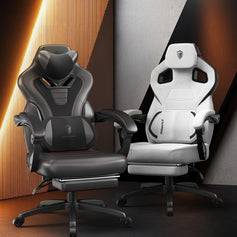


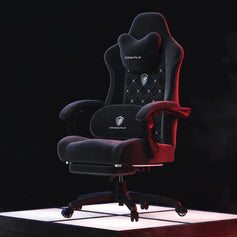
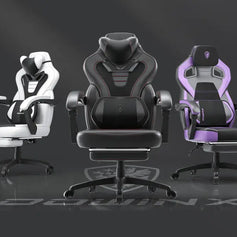
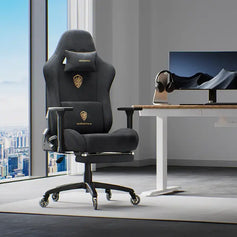
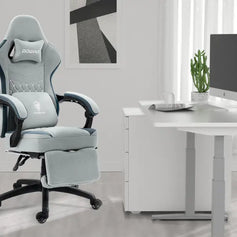


In Part 1 of our troubleshooting guide, we covered common chair issues such as unusual noises, gas lift problems, screw installation, and loose armrests.
In Part 2, we’ll look at several other issues our customer support team frequently encounters, including slight seat or armrest movement, a rocking function that won’t work, an unresponsive massage lumbar pillow, backrest adjustment problems, a misaligned backrest, and armrest screws that won’t thread properly.
Many of these issues do not necessarily mean that a component is defective. They may simply be related to the chair’s settings, assembly, or adjustment method. This article might help you quickly resolve some simple chair problems.
1. The Seat or Armrests Move Slightly
If you notice a small amount of side-to-side or forward-and-back movement in the seat or armrests, there is usually no need to worry.
Many gaming chairs are designed with a rocking/tilt function, which requires a small amount of movement in the chair’s structure to allow it to rock and recline naturally. Because of this, slight movement while the function is enabled does not necessarily indicate a quality issue.
Try the following:
- Locate the adjustment lever on the tilt mechanism underneath the seat.
- Lock the rocking function.
- Sit in the chair again and check whether the movement has been reduced.
- Make sure the screws around the armrests and tilt mechanism are securely tightened.
Once the tilt function is locked, the overall movement of the seat should usually be reduced.
Keep in mind that normal play in adjustable components is different from excessive looseness.
If the armrests, backrest, or seat suddenly become noticeably loose, or if the movement is accompanied by unusual metal noises or loose screws, check the assembly points more carefully.
2. The Chair Won’t Rock
If the chair will not rock, first check whether the tilt function is currently locked.
On many gaming chairs, the rocking function is controlled by a lever underneath the seat:
- Pull the lever out to enable the rocking function.
- Push the lever in to disable or lock the rocking function.
Once the function is enabled, sit in the chair and gently lean back to see whether it rocks normally.
Some models also have a tilt tension knob underneath the seat, which controls how much resistance you feel when leaning back.
The adjustment direction may vary between chair models, so always check the assembly manual or the markings around the tension knob for the correct setting.
If the rocking function still does not work after making these adjustments, contact customer support for further assistance.
3. The Massage Lumbar Pillow Isn’t Working
On some gaming chairs with a massage lumbar pillow, the massage unit does not have a separate power button.
If the massage function is not responding, first check that everything is connected correctly.
Try the following:
- Make sure the massage lumbar pillow cable is properly connected.
- Check that the connector is fully inserted into the correct port.
- Connect the massage cable to a compatible power source.
- Unplug and reconnect the cable, then test the massage function again.
Once properly connected to a power source, the vibration massage unit inside the lumbar pillow should begin working.
If there is still no response, try another compatible power source or USB port to rule out a power supply issue.
If the power supply and connections are correct but the massage unit still does not work, the massage component itself may need further inspection. In that case, contact customer support.
4. The Backrest Angle Won’t Adjust
If the backrest will not recline or adjust properly, there is no need to assume that the mechanism is defective right away. Some newly assembled chairs need to be used with the correct amount of pressure before the backrest adjustment works smoothly.
Try the following:
- Make sure the backrest has been installed correctly.
- Sit in the chair.
- Pull the backrest adjustment lever upward.
- While holding the lever up, gently lean backward.
- Apply a small amount of backward pressure to the backrest.
- Once the backrest reaches the desired angle, release the lever.
On some chairs, simply pulling the adjustment lever without applying backward pressure may not fully release the recline mechanism.
The mechanism may also feel slightly stiff when the chair is brand new. After a few adjustments, it will often become easier to operate.
If the backrest will not move at all, do not force the adjustment lever, as this could damage the internal mechanism. Contact customer support for assistance.
5. The Backrest Looks Crooked After Assembly
A backrest that tilts slightly to one side is a fairly common assembly issue.
In many cases, the backrest itself is not bent. Instead, the screws on the two sides may have been tightened while the backrest was slightly out of alignment.
Try the following:
- Slightly loosen the screws on both sides of the backrest.
- Use your hands to reposition the backrest so that it sits upright.
- Make sure the left and right sides are at approximately the same height.
- Insert all screws and leave them slightly loose at first.
- Once the backrest is properly aligned, gradually tighten all screws securely.
Some chairs use slightly oversized mounting holes to allow for easier positioning during assembly.
However, if one side is fully tightened before the other side is properly aligned, the backrest may become fixed in a slightly tilted position.
6. An Armrest Screw Won’t Thread Properly
If one of the armrest screws will not screw in properly during assembly, do not force it.
Applying excessive force may cause stripped threads, making the problem more difficult to fix.
A simple way to identify the cause is to swap the screws.
If the armrest uses several screws of the same size:
- Remove another armrest screw that threads normally.
- Try inserting it into the screw hole that is causing the problem.
- Check whether it threads in smoothly.
If another screw fits the same hole correctly, the original screw may be the problem.
If several screws of the same size all fail to thread into the same hole, the issue may be with the internal threads or the threaded insert inside the mounting point.
Do not continue forcing the screw into the hole. Contact customer support for further assistance.
7. The Chair Doesn’t Feel Comfortable or the Size Feels Wrong
Chair comfort depends on several factors, including your height, weight, leg length, sitting posture, and personal preference for a softer or firmer seat.
Dowinx chair dimensions are measured manually and may differ slightly from actual measurements.
Even if a chair’s dimensions match the product specifications, the sitting experience may not feel the same for every user.
If the main issue is that the seat cushion feels too firm, you can try adding a thin seat cushion or chair pad.
This may help:
- Add extra cushioning
- Reduce pressure on the hips and thighs
- Slightly adjust your effective sitting height
- Improve comfort during longer periods of sitting
However, avoid using an excessively thick cushion.
A thick cushion can change your position relative to the backrest, lumbar support, and armrests, which may reduce the chair’s intended ergonomic support.
Before Assuming a Part Is Defective, Check the Settings and Assembly
Many chair problems may initially look like a defective component when the actual cause is simply an assembly or adjustment issue.
Before deciding that the chair is damaged, check the chair’s settings and make sure all components have been installed correctly. A quick adjustment can often save a lot of troubleshooting time.
If the problem remains after these checks, record a short video that clearly shows the issue and take photos of the affected component, screw holes, and mounting points before contacting customer support: eu@dowinx.com.
Clear photos and videos are much more helpful than simply saying that “the chair is broken.” They allow the support team to identify the affected component more quickly and provide a more accurate solution.